Oracle PL/SQL has been the backbone of enterprise data processing for decades. Organizations running Oracle-centric data warehouses and ETL pipelines rely heavily on PL/SQL packages, stored procedures, cursors, and bulk operations to move, transform, and validate data. But as data volumes grow into terabytes and petabytes, the single-server architecture of Oracle Database becomes a bottleneck — both in performance and in cost. Databricks, built on Apache Spark's distributed compute engine and the Delta Lake storage layer, offers a fundamentally different approach: massively parallel, cloud-native data processing with built-in governance through Unity Catalog.
This article provides a detailed, construct-by-construct mapping of Oracle PL/SQL patterns to their Databricks equivalents. Whether you are converting PL/SQL packages to Python modules, replacing cursors with DataFrame operations, or migrating Oracle MERGE statements to Delta Lake MERGE, this guide covers the technical transformation path with working code examples.
Architecture: Oracle Database vs. Databricks Lakehouse
Oracle Database is a monolithic RDBMS where compute and storage are tightly coupled. PL/SQL executes inside the database engine on the same server that stores the data. Scaling means scaling up — larger servers, more RAM, more CPU cores. Licensing is per-core, making horizontal scaling prohibitively expensive.
Databricks uses a lakehouse architecture that separates compute from storage. Data lives in cloud object storage (S3, ADLS, GCS) in open Delta Lake format. Compute clusters spin up on demand, process data in parallel across hundreds of nodes, and shut down when finished. PySpark distributes work across the cluster automatically. Unity Catalog provides centralized governance, access control, and column-level lineage across all data assets.
| Oracle PL/SQL Concept | Databricks Equivalent | Key Differences |
|---|---|---|
| PL/SQL Package | Python module / Databricks notebook | Packages become importable Python modules or structured notebooks with shared functions |
| Stored Procedure | PySpark function / Databricks SQL procedure | Procedures become Python functions operating on DataFrames or SQL stored procedures |
| PL/SQL Function | Python UDF / PySpark function | Scalar functions become Spark UDFs; set-based functions become DataFrame transformations |
| Cursor (explicit) | DataFrame operations (set-based) | Row-by-row cursors are replaced by distributed DataFrame transformations |
| Cursor FOR loop | DataFrame.foreach() / set-based SQL | Iterative processing becomes parallel set-based operations |
| BULK COLLECT / FORALL | DataFrame collect() / set-based write | Bulk operations are native; DataFrames are inherently set-based |
| Exception handling (WHEN OTHERS) | try/except in Python | Python exception hierarchy replaces Oracle exception blocks |
| PL/SQL Collections (TABLE, VARRAY) | PySpark ArrayType / StructType | Complex types are first-class in Spark schemas |
| Oracle Sequences | monotonically_increasing_id() / identity columns | Delta Lake identity columns or Spark functions for unique IDs |
| DBMS_OUTPUT.PUT_LINE | print() / displayHTML() | Notebook output cells replace DBMS_OUTPUT |
| Oracle Scheduler (DBMS_SCHEDULER) | Databricks Workflows | Visual DAG-based orchestration with dependency management |
| Materialized Views | Delta Live Tables (DLT) | Declarative pipeline definitions with automatic refresh |
| MERGE (upsert) | Delta Lake MERGE | ACID-compliant MERGE on cloud storage with time travel |
| UTL_FILE (file I/O) | dbutils.fs / cloud storage APIs | File operations use cloud-native storage instead of server filesystem |
| Oracle partitioning | Delta Lake partitioning / Z-ordering | Automatic data layout optimization with OPTIMIZE and ZORDER |
| Oracle Data Pump | Auto Loader / COPY INTO | Incremental, scalable file ingestion from cloud storage |

Oracle PL/SQL to Databricks migration — automated end-to-end by MigryX
PL/SQL Packages to Python Modules and Notebooks
Oracle PL/SQL packages group related procedures, functions, types, and variables into a single namespace. A package has a specification (public interface) and a body (implementation). In Databricks, this organizational pattern maps to Python modules for reusable library code or structured notebooks for workflow-oriented logic.
Package Specification and Body
Consider an Oracle package that handles customer data processing:
-- Oracle PL/SQL Package Specification
CREATE OR REPLACE PACKAGE customer_etl_pkg AS
    -- Public types
    TYPE t_customer_rec IS RECORD (
        customer_id    NUMBER,
        customer_name  VARCHAR2(200),
        segment        VARCHAR2(50),
        lifetime_value NUMBER(15,2)
    );
    TYPE t_customer_tab IS TABLE OF t_customer_rec;

    -- Public procedures
    PROCEDURE load_staging(p_batch_date IN DATE);
    PROCEDURE transform_customers(p_batch_date IN DATE);
    PROCEDURE update_segments;
    FUNCTION  calculate_ltv(p_customer_id IN NUMBER) RETURN NUMBER;

    -- Package variables
    g_batch_size CONSTANT NUMBER := 10000;
    g_error_count NUMBER := 0;
END customer_etl_pkg;
/

-- Oracle PL/SQL Package Body (abbreviated)
CREATE OR REPLACE PACKAGE BODY customer_etl_pkg AS

    PROCEDURE load_staging(p_batch_date IN DATE) IS
    BEGIN
        INSERT INTO stg_customers
        SELECT * FROM source_customers@dblink_crm
        WHERE last_modified >= p_batch_date;
        COMMIT;
        DBMS_OUTPUT.PUT_LINE('Loaded ' || SQL%ROWCOUNT || ' rows');
    EXCEPTION
        WHEN OTHERS THEN
            g_error_count := g_error_count + 1;
            RAISE;
    END load_staging;

    FUNCTION calculate_ltv(p_customer_id IN NUMBER) RETURN NUMBER IS
        v_ltv NUMBER;
    BEGIN
        SELECT SUM(order_total) INTO v_ltv
        FROM orders WHERE customer_id = p_customer_id
        AND order_date >= ADD_MONTHS(SYSDATE, -24);
        RETURN NVL(v_ltv, 0);
    END calculate_ltv;

END customer_etl_pkg;
/
The Databricks equivalent separates this into a Python module with PySpark DataFrame operations:
# Databricks Python module: customer_etl.py
# Equivalent of customer_etl_pkg

from pyspark.sql import SparkSession, DataFrame
from pyspark.sql import functions as F
from pyspark.sql.types import StructType, StructField, LongType, StringType, DecimalType
from delta.tables import DeltaTable
from datetime import date, timedelta

# Package constants
BATCH_SIZE = 10000

# Customer schema (replaces PL/SQL record type)
customer_schema = StructType([
    StructField("customer_id", LongType(), False),
    StructField("customer_name", StringType(), True),
    StructField("segment", StringType(), True),
    StructField("lifetime_value", DecimalType(15, 2), True)
])


def load_staging(spark: SparkSession, batch_date: date) -> int:
    """Load staging table from source CRM data.
    Replaces: customer_etl_pkg.load_staging procedure.
    """
    try:
        source_df = (
            spark.read
            .format("jdbc")
            .option("url", "jdbc:oracle:thin:@crm-host:1521/CRMDB")
            .option("dbtable", "source_customers")
            .option("user", dbutils.secrets.get("crm", "username"))
            .option("password", dbutils.secrets.get("crm", "password"))
            .load()
            .filter(F.col("last_modified") >= F.lit(batch_date))
        )

        row_count = source_df.count()
        source_df.write.mode("overwrite").saveAsTable("staging.stg_customers")
        print(f"Loaded {row_count} rows into staging")
        return row_count

    except Exception as e:
        print(f"Error in load_staging: {e}")
        raise


def calculate_ltv(spark: SparkSession) -> DataFrame:
    """Calculate lifetime value for all customers (set-based).
    Replaces: customer_etl_pkg.calculate_ltv scalar function.
    Instead of row-by-row, compute LTV for ALL customers at once.
    """
    cutoff_date = date.today() - timedelta(days=730)

    return (
        spark.table("silver.orders")
        .filter(F.col("order_date") >= F.lit(cutoff_date))
        .groupBy("customer_id")
        .agg(F.sum("order_total").alias("lifetime_value"))
        .fillna(0, subset=["lifetime_value"])
    )


def update_segments(spark: SparkSession) -> None:
    """Update customer segments based on LTV.
    Replaces: customer_etl_pkg.update_segments procedure.
    """
    ltv_df = calculate_ltv(spark)

    segmented = ltv_df.withColumn(
        "segment",
        F.when(F.col("lifetime_value") >= 100000, "enterprise")
        .when(F.col("lifetime_value") >= 25000, "mid_market")
        .when(F.col("lifetime_value") >= 5000, "growth")
        .otherwise("starter")
    )

    customers_delta = DeltaTable.forName(spark, "gold.customers")
    customers_delta.alias("t").merge(
        segmented.alias("s"),
        "t.customer_id = s.customer_id"
    ).whenMatchedUpdate(set={
        "segment": "s.segment",
        "lifetime_value": "s.lifetime_value",
        "updated_at": "current_timestamp()"
    }).execute()

    print("Customer segments updated successfully")
The critical mindset shift: PL/SQL packages encapsulate row-level operations behind a procedural interface. In Databricks, the equivalent Python module exposes set-based DataFrame operations. The calculate_ltv function no longer accepts a single customer_id — it computes LTV for all customers in a single distributed operation, which is orders of magnitude faster on large datasets.
MigryX: Purpose-Built Parsers for Every Legacy Technology
MigryX does not rely on generic text matching or regex-based parsing. For every supported legacy technology, MigryX has built a dedicated Abstract Syntax Tree (AST) parser that understands the full grammar and semantics of that platform. This means MigryX captures not just what the code does, but why — understanding implicit behaviors, default settings, and platform-specific quirks that generic tools miss entirely.
Cursors to DataFrame Operations: Eliminating Row-by-Row Processing
Cursors are perhaps the single most important construct to rethink during an Oracle-to-Databricks migration. PL/SQL cursors process data row by row (or in batches via BULK COLLECT). PySpark DataFrames process data in parallel across a distributed cluster. Converting cursors to DataFrames is not just a syntax change — it is a fundamental paradigm shift from iterative to declarative processing.
Explicit Cursor with Bulk Processing
Here is a common Oracle pattern: a cursor that iterates through orders, applies business logic, and writes results:
-- Oracle PL/SQL: Cursor with BULK COLLECT processing
DECLARE
    CURSOR c_pending_orders IS
        SELECT o.order_id, o.customer_id, o.order_date,
               o.subtotal, o.shipping_cost, o.tax_rate,
               c.loyalty_tier, c.region
        FROM orders o
        JOIN customers c ON o.customer_id = c.customer_id
        WHERE o.status = 'PENDING'
        AND o.order_date >= TRUNC(SYSDATE) - 30;

    TYPE t_order_tab IS TABLE OF c_pending_orders%ROWTYPE;
    l_orders t_order_tab;

    v_discount_pct  NUMBER;
    v_total         NUMBER;
    v_priority      VARCHAR2(20);
BEGIN
    OPEN c_pending_orders;
    LOOP
        FETCH c_pending_orders BULK COLLECT INTO l_orders LIMIT 5000;
        EXIT WHEN l_orders.COUNT = 0;

        FOR i IN 1..l_orders.COUNT LOOP
            -- Business logic: calculate discount based on loyalty tier
            CASE l_orders(i).loyalty_tier
                WHEN 'PLATINUM' THEN v_discount_pct := 0.15;
                WHEN 'GOLD'     THEN v_discount_pct := 0.10;
                WHEN 'SILVER'   THEN v_discount_pct := 0.05;
                ELSE v_discount_pct := 0;
            END CASE;

            -- Calculate total
            v_total := l_orders(i).subtotal * (1 - v_discount_pct)
                     + l_orders(i).shipping_cost;
            v_total := v_total * (1 + l_orders(i).tax_rate / 100);

            -- Determine priority based on region and value
            IF l_orders(i).region IN ('US-EAST', 'US-WEST') AND v_total > 500 THEN
                v_priority := 'HIGH';
            ELSIF v_total > 1000 THEN
                v_priority := 'HIGH';
            ELSE
                v_priority := 'STANDARD';
            END IF;

            -- Update order record
            UPDATE orders
            SET discount_pct = v_discount_pct,
                total_amount = v_total,
                priority = v_priority,
                processed_at = SYSDATE
            WHERE order_id = l_orders(i).order_id;
        END LOOP;

        COMMIT;
    END LOOP;
    CLOSE c_pending_orders;

    DBMS_OUTPUT.PUT_LINE('Order processing complete');
EXCEPTION
    WHEN OTHERS THEN
        ROLLBACK;
        DBMS_OUTPUT.PUT_LINE('Error: ' || SQLERRM);
        RAISE;
END;
/
The PySpark equivalent eliminates the cursor entirely and processes all rows in parallel:
# Databricks PySpark: Replaces the entire cursor-based block above
from pyspark.sql import functions as F
from delta.tables import DeltaTable

# Step 1: Read the data (replaces cursor query)
pending_orders = (
    spark.table("silver.orders").alias("o")
    .join(
        spark.table("silver.customers").alias("c"),
        F.col("o.customer_id") == F.col("c.customer_id")
    )
    .filter(
        (F.col("o.status") == "PENDING") &
        (F.col("o.order_date") >= F.date_sub(F.current_date(), 30))
    )
    .select(
        "o.order_id", "o.customer_id", "o.order_date",
        "o.subtotal", "o.shipping_cost", "o.tax_rate",
        "c.loyalty_tier", "c.region"
    )
)

# Step 2: Apply business logic (replaces CASE + IF in cursor loop)
processed = (
    pending_orders
    # Discount based on loyalty tier
    .withColumn("discount_pct",
        F.when(F.col("loyalty_tier") == "PLATINUM", 0.15)
        .when(F.col("loyalty_tier") == "GOLD", 0.10)
        .when(F.col("loyalty_tier") == "SILVER", 0.05)
        .otherwise(0.0)
    )
    # Calculate total with discount, shipping, and tax
    .withColumn("total_amount",
        (F.col("subtotal") * (1 - F.col("discount_pct"))
         + F.col("shipping_cost"))
        * (1 + F.col("tax_rate") / 100)
    )
    # Determine priority
    .withColumn("priority",
        F.when(
            (F.col("region").isin("US-EAST", "US-WEST")) &
            (F.col("total_amount") > 500), "HIGH"
        ).when(F.col("total_amount") > 1000, "HIGH")
        .otherwise("STANDARD")
    )
    .withColumn("processed_at", F.current_timestamp())
)

# Step 3: MERGE back into orders table (replaces row-by-row UPDATE)
orders_delta = DeltaTable.forName(spark, "silver.orders")
orders_delta.alias("t").merge(
    processed.alias("s"),
    "t.order_id = s.order_id"
).whenMatchedUpdate(set={
    "discount_pct": "s.discount_pct",
    "total_amount": "s.total_amount",
    "priority": "s.priority",
    "processed_at": "s.processed_at"
}).execute()

print("Order processing complete")
The performance difference is dramatic. The Oracle cursor processes 5,000 rows at a time on a single server. The PySpark version distributes the work across the entire cluster, processing millions of rows simultaneously. There is no loop, no batch sizing, no explicit commit management. Delta Lake handles ACID transactions automatically.
Oracle MERGE to Delta Lake MERGE
The Oracle MERGE statement is one of the most commonly used constructs in PL/SQL ETL pipelines. It performs upserts — inserting new rows and updating existing ones in a single atomic operation. Delta Lake provides a nearly identical MERGE syntax with additional capabilities like time travel and schema evolution.
Oracle MERGE Example
-- Oracle PL/SQL: MERGE for customer dimension upsert
MERGE INTO dim_customers tgt
USING (
    SELECT customer_id, customer_name, email, phone,
           address_line1, city, state, postal_code,
           loyalty_tier, signup_date, last_activity_date
    FROM stg_customers
    WHERE batch_id = :current_batch
) src
ON (tgt.customer_id = src.customer_id)
WHEN MATCHED THEN UPDATE SET
    tgt.customer_name     = src.customer_name,
    tgt.email             = src.email,
    tgt.phone             = src.phone,
    tgt.address_line1     = src.address_line1,
    tgt.city              = src.city,
    tgt.state             = src.state,
    tgt.postal_code       = src.postal_code,
    tgt.loyalty_tier      = src.loyalty_tier,
    tgt.last_activity_date = src.last_activity_date,
    tgt.updated_at        = SYSDATE
WHERE (tgt.customer_name != src.customer_name
    OR tgt.email != src.email
    OR tgt.loyalty_tier != src.loyalty_tier
    OR tgt.last_activity_date != src.last_activity_date)
WHEN NOT MATCHED THEN INSERT (
    customer_id, customer_name, email, phone,
    address_line1, city, state, postal_code,
    loyalty_tier, signup_date, last_activity_date,
    created_at, updated_at
) VALUES (
    src.customer_id, src.customer_name, src.email, src.phone,
    src.address_line1, src.city, src.state, src.postal_code,
    src.loyalty_tier, src.signup_date, src.last_activity_date,
    SYSDATE, SYSDATE
);
COMMIT;
Delta Lake MERGE Equivalent
# Databricks PySpark: Delta Lake MERGE for customer dimension upsert
from delta.tables import DeltaTable
from pyspark.sql import functions as F

# Read staging data
staging_df = (
    spark.table("bronze.stg_customers")
    .filter(F.col("batch_id") == current_batch)
)

# Perform Delta MERGE (ACID-compliant upsert on cloud storage)
dim_customers = DeltaTable.forName(spark, "gold.dim_customers")

dim_customers.alias("tgt").merge(
    staging_df.alias("src"),
    "tgt.customer_id = src.customer_id"
).whenMatchedUpdate(
    # Only update when values actually changed (same as Oracle WHERE clause)
    condition="""
        tgt.customer_name != src.customer_name
        OR tgt.email != src.email
        OR tgt.loyalty_tier != src.loyalty_tier
        OR tgt.last_activity_date != src.last_activity_date
    """,
    set={
        "customer_name": "src.customer_name",
        "email": "src.email",
        "phone": "src.phone",
        "address_line1": "src.address_line1",
        "city": "src.city",
        "state": "src.state",
        "postal_code": "src.postal_code",
        "loyalty_tier": "src.loyalty_tier",
        "last_activity_date": "src.last_activity_date",
        "updated_at": "current_timestamp()"
    }
).whenNotMatchedInsert(
    values={
        "customer_id": "src.customer_id",
        "customer_name": "src.customer_name",
        "email": "src.email",
        "phone": "src.phone",
        "address_line1": "src.address_line1",
        "city": "src.city",
        "state": "src.state",
        "postal_code": "src.postal_code",
        "loyalty_tier": "src.loyalty_tier",
        "signup_date": "src.signup_date",
        "last_activity_date": "src.last_activity_date",
        "created_at": "current_timestamp()",
        "updated_at": "current_timestamp()"
    }
).execute()

# Delta Lake: no explicit COMMIT needed; MERGE is atomic
# Bonus: time travel lets you query the table before the merge
previous_version = spark.read.format("delta").option("versionAsOf", 0).table("gold.dim_customers")
Delta Lake MERGE provides capabilities that Oracle MERGE does not: automatic time travel (query any previous version), schema evolution (add new columns during merge), and operation metrics (rows inserted, updated, deleted) returned after execution. There is no explicit COMMIT because Delta Lake transactions are atomic by default.
Exception Handling: PL/SQL to Python
Oracle PL/SQL uses a structured exception model with predefined exceptions (NO_DATA_FOUND, TOO_MANY_ROWS, DUP_VAL_ON_INDEX) and custom exceptions. Python uses try/except with a class-based exception hierarchy. The mapping is straightforward but requires understanding which Oracle exceptions have Spark-specific equivalents.
-- Oracle PL/SQL Exception Handling
DECLARE
    v_customer_name VARCHAR2(200);
    e_invalid_segment EXCEPTION;
    PRAGMA EXCEPTION_INIT(e_invalid_segment, -20001);
BEGIN
    SELECT customer_name INTO v_customer_name
    FROM customers WHERE customer_id = 12345;

    IF v_customer_name IS NULL THEN
        RAISE e_invalid_segment;
    END IF;

    UPDATE customers SET processed = 'Y' WHERE customer_id = 12345;
    COMMIT;
EXCEPTION
    WHEN NO_DATA_FOUND THEN
        DBMS_OUTPUT.PUT_LINE('Customer not found');
        INSERT INTO error_log (message, created_at)
        VALUES ('Customer 12345 not found', SYSDATE);
        COMMIT;
    WHEN e_invalid_segment THEN
        DBMS_OUTPUT.PUT_LINE('Invalid segment for customer');
    WHEN OTHERS THEN
        ROLLBACK;
        DBMS_OUTPUT.PUT_LINE('Unexpected error: ' || SQLERRM);
        RAISE;
END;
/
# Databricks Python equivalent
from pyspark.sql import functions as F
from pyspark.sql.utils import AnalysisException
from delta.tables import DeltaTable
from datetime import datetime


class InvalidSegmentError(Exception):
    """Custom exception replacing Oracle e_invalid_segment."""
    pass


try:
    customer_df = (
        spark.table("silver.customers")
        .filter(F.col("customer_id") == 12345)
    )

    if customer_df.count() == 0:
        # Equivalent of NO_DATA_FOUND
        raise LookupError("Customer 12345 not found")

    customer_row = customer_df.first()

    if customer_row["customer_name"] is None:
        raise InvalidSegmentError("Invalid segment for customer")

    # Update via Delta MERGE (atomic, no explicit commit)
    delta_table = DeltaTable.forName(spark, "silver.customers")
    delta_table.update(
        condition="customer_id = 12345",
        set={"processed": F.lit("Y")}
    )

except LookupError as e:
    print(f"Customer not found: {e}")
    # Log error to Delta table
    error_df = spark.createDataFrame(
        [{"message": str(e), "created_at": datetime.now()}]
    )
    error_df.write.mode("append").saveAsTable("audit.error_log")

except InvalidSegmentError as e:
    print(f"Invalid segment: {e}")

except AnalysisException as e:
    # Handles Spark-specific errors (table not found, column mismatch)
    print(f"Spark analysis error: {e}")
    raise

except Exception as e:
    # Equivalent of WHEN OTHERS
    print(f"Unexpected error: {e}")
    raise
Oracle Sequences to Databricks Identity Columns
Oracle sequences generate unique numeric identifiers. In Databricks, Delta Lake identity columns or the monotonically_increasing_id() function provide equivalent functionality.
-- Oracle: Sequence-based ID generation
CREATE SEQUENCE customer_seq START WITH 1 INCREMENT BY 1;

INSERT INTO customers (customer_id, customer_name)
VALUES (customer_seq.NEXTVAL, 'Acme Corp');
# Databricks: Identity column in Delta Lake
spark.sql("""
    CREATE TABLE IF NOT EXISTS gold.customers (
        customer_id BIGINT GENERATED ALWAYS AS IDENTITY (START WITH 1 INCREMENT BY 1),
        customer_name STRING,
        created_at TIMESTAMP DEFAULT current_timestamp()
    )
    USING DELTA
""")

# Insert without specifying ID (auto-generated)
spark.sql("""
    INSERT INTO gold.customers (customer_name)
    VALUES ('Acme Corp')
""")

# Alternative: monotonically_increasing_id() for batch processing
from pyspark.sql import functions as F

new_customers = (
    spark.table("staging.new_customers")
    .withColumn("customer_id", F.monotonically_increasing_id())
)
new_customers.write.mode("append").saveAsTable("gold.customers")
DBMS_OUTPUT and UTL_FILE to Databricks Equivalents
Oracle provides DBMS_OUTPUT for console output and UTL_FILE for server-side file I/O. In Databricks, notebook output cells replace DBMS_OUTPUT, and dbutils.fs combined with cloud storage APIs replace UTL_FILE.
-- Oracle: UTL_FILE to write a CSV report
DECLARE
    v_file UTL_FILE.FILE_TYPE;
BEGIN
    v_file := UTL_FILE.FOPEN('REPORT_DIR', 'daily_report.csv', 'W');
    UTL_FILE.PUT_LINE(v_file, 'customer_id,customer_name,total');
    FOR r IN (SELECT customer_id, customer_name, total FROM daily_summary) LOOP
        UTL_FILE.PUT_LINE(v_file, r.customer_id || ',' || r.customer_name || ',' || r.total);
    END LOOP;
    UTL_FILE.FCLOSE(v_file);
    DBMS_OUTPUT.PUT_LINE('Report generated');
END;
/
# Databricks: Write report to cloud storage
# Replaces UTL_FILE with cloud-native file operations
# Write DataFrame directly to CSV in cloud storage
report_df = spark.table("gold.daily_summary").select(
"customer_id", "customer_name", "total"
)
report_df.coalesce(1).write.mode("overwrite").option(
"header", "true"
).csv("/mnt/reports/daily_report")
# Or use dbutils for file-level operations
dbutils.fs.put(
"/mnt/reports/status.txt",
f"Report generated at {datetime.now()}",
overwrite=True
)
# Use displayHTML for rich output in notebooks (replaces DBMS_OUTPUT)
row_count = report_df.count()
displayHTML(f"Daily Report Complete
Generated {row_count} rows.
")
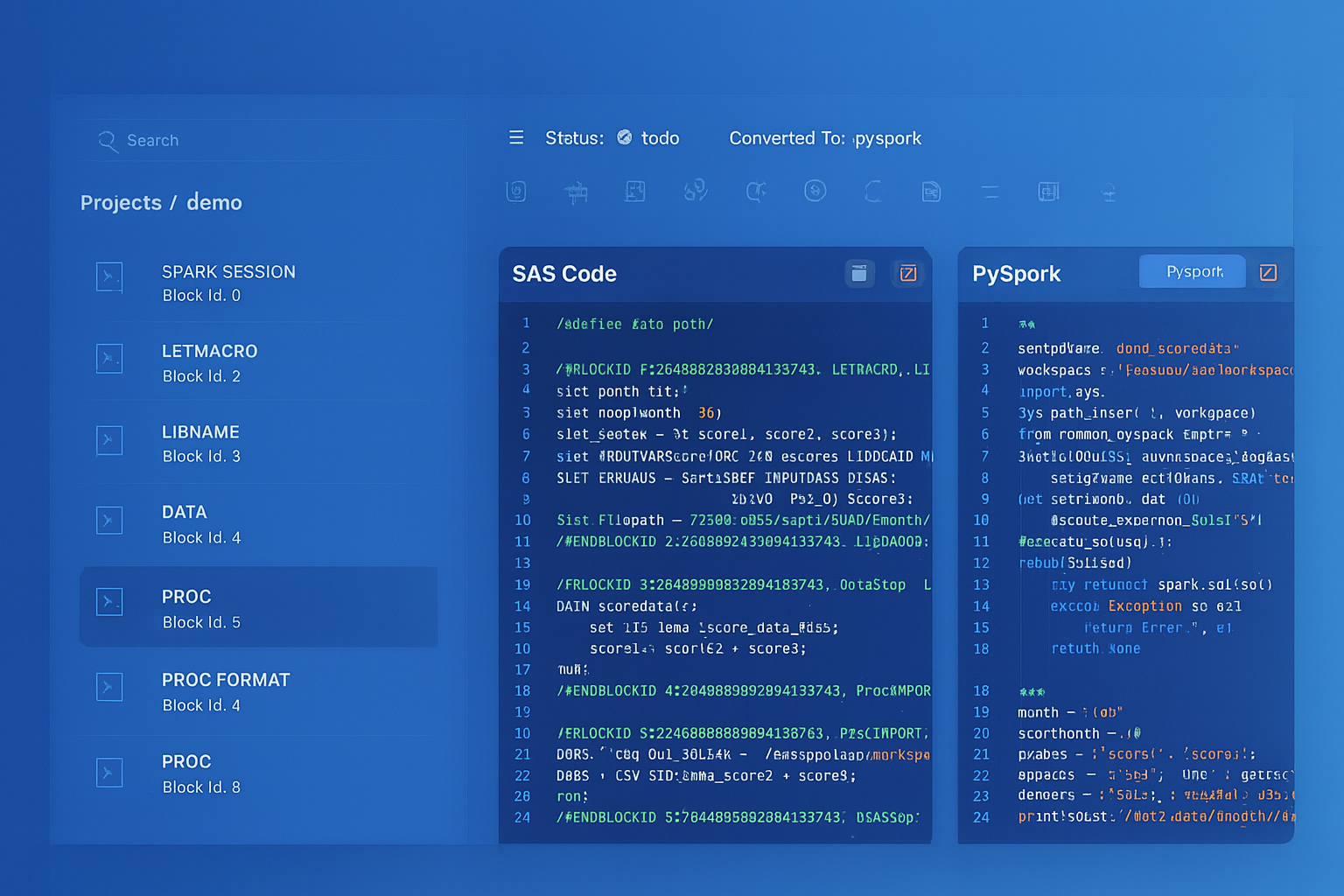
From parsed legacy code to production-ready modern equivalents — MigryX automates the entire conversion pipeline
From Legacy Complexity to Modern Clarity with MigryX
Legacy ETL platforms encode business logic in visual workflows, proprietary XML formats, and platform-specific constructs that are opaque to standard analysis tools. MigryX’s deep parsers crack open these proprietary formats and extract the underlying data transformations, business rules, and data flows. The result is complete transparency into what your legacy code actually does — often revealing undocumented logic that even the original developers had forgotten.
Oracle Scheduler to Databricks Workflows
Oracle DBMS_SCHEDULER manages job scheduling within the database. Databricks Workflows provides a visual, DAG-based orchestration platform with dependency management, retry logic, alerts, and parameterized runs.
| Oracle Scheduler Feature | Databricks Workflows Feature | Advantage |
|---|---|---|
| DBMS_SCHEDULER.CREATE_JOB | Workflow Task (notebook, SQL, Python, JAR) | Visual DAG editor, multi-language support |
| Job chains (DEFINE_CHAIN_RULE) | Task dependencies (depends_on) | Drag-and-drop dependency configuration |
| REPEAT_INTERVAL (CRON-like) | Cron schedule / file arrival trigger | Supports both time-based and event-driven triggers |
| Job arguments | Workflow parameters / widgets | Parameters passed to all tasks in the workflow |
| Job monitoring (DBA_SCHEDULER_RUNNING_JOBS) | Workflow Runs UI / API | Full run history, duration trends, cost tracking |
| Email notifications | Email, Slack, PagerDuty, webhooks | Multi-channel alerting with customizable triggers |
| Error handling (RAISE_APPLICATION_ERROR) | Task retries, conditional tasks, failure notifications | Automatic retry with configurable backoff |
# Databricks Workflow definition (JSON configuration)
# Replaces Oracle DBMS_SCHEDULER job chain
{
  "name": "customer_etl_workflow",
  "schedule": {
    "quartz_cron_expression": "0 0 6 * * ?",
    "timezone_id": "America/New_York"
  },
  "tasks": [
    {
      "task_key": "load_staging",
      "notebook_task": {
        "notebook_path": "/Repos/etl/customer_etl/01_load_staging"
      },
      "job_cluster_key": "etl_cluster"
    },
    {
      "task_key": "transform_customers",
      "depends_on": [{"task_key": "load_staging"}],
      "notebook_task": {
        "notebook_path": "/Repos/etl/customer_etl/02_transform"
      },
      "job_cluster_key": "etl_cluster"
    },
    {
      "task_key": "update_segments",
      "depends_on": [{"task_key": "transform_customers"}],
      "notebook_task": {
        "notebook_path": "/Repos/etl/customer_etl/03_update_segments"
      },
      "job_cluster_key": "etl_cluster"
    }
  ],
  "job_clusters": [{
    "job_cluster_key": "etl_cluster",
    "new_cluster": {
      "spark_version": "14.3.x-scala2.12",
      "num_workers": 4,
      "node_type_id": "i3.xlarge",
      "autoscale": {"min_workers": 2, "max_workers": 8}
    }
  }]
}
Materialized Views to Delta Live Tables
Oracle materialized views precompute and store query results for performance. Delta Live Tables (DLT) in Databricks provides a declarative pipeline framework that automatically manages data freshness, quality expectations, and dependencies between tables.
-- Oracle: Materialized view with refresh
CREATE MATERIALIZED VIEW mv_customer_summary
REFRESH FAST ON COMMIT
AS
SELECT region, loyalty_tier,
       COUNT(*) AS customer_count,
       SUM(lifetime_value) AS total_ltv,
       AVG(lifetime_value) AS avg_ltv
FROM customers
GROUP BY region, loyalty_tier;
# Databricks: Delta Live Tables pipeline (replaces materialized views)
import dlt
from pyspark.sql import functions as F

@dlt.table(
    comment="Customer summary by region and tier",
    table_properties={"quality": "gold"}
)
@dlt.expect_or_drop("valid_region", "region IS NOT NULL")
@dlt.expect_or_drop("positive_ltv", "total_ltv >= 0")
def customer_summary():
    return (
        dlt.read("silver_customers")
        .groupBy("region", "loyalty_tier")
        .agg(
            F.count("*").alias("customer_count"),
            F.sum("lifetime_value").alias("total_ltv"),
            F.avg("lifetime_value").alias("avg_ltv")
        )
    )
PL/SQL Collections to PySpark Complex Types
Oracle PL/SQL collections (TABLE, VARRAY, associative arrays) provide in-memory data structures for procedural processing. PySpark uses ArrayType, MapType, and StructType as first-class column types that can be processed in parallel.
-- Oracle: PL/SQL associative array for lookup
DECLARE
    TYPE t_tier_discount IS TABLE OF NUMBER INDEX BY VARCHAR2(20);
    l_discounts t_tier_discount;
BEGIN
    l_discounts('PLATINUM') := 0.15;
    l_discounts('GOLD')     := 0.10;
    l_discounts('SILVER')   := 0.05;
    -- Use in processing loop...
END;
# Databricks: Replace PL/SQL collection with a broadcast lookup
from pyspark.sql import functions as F

# Option 1: Direct mapping with when/otherwise (small lookups)
orders_with_discount = orders_df.withColumn(
    "discount_pct",
    F.when(F.col("loyalty_tier") == "PLATINUM", 0.15)
    .when(F.col("loyalty_tier") == "GOLD", 0.10)
    .when(F.col("loyalty_tier") == "SILVER", 0.05)
    .otherwise(0.0)
)

# Option 2: Broadcast join for larger reference data
tier_discounts = spark.createDataFrame([
    ("PLATINUM", 0.15), ("GOLD", 0.10), ("SILVER", 0.05)
], ["tier", "discount_pct"])

orders_with_discount = orders_df.join(
    F.broadcast(tier_discounts),
    orders_df.loyalty_tier == tier_discounts.tier,
    "left"
).fillna(0.0, subset=["discount_pct"])
Data Ingestion: Oracle Data Pump to Auto Loader
Oracle Data Pump (expdp/impdp) handles bulk data export and import. In Databricks, Auto Loader provides incremental, scalable file ingestion from cloud storage with automatic schema inference and evolution.
# Databricks Auto Loader: Incremental file ingestion
# Replaces Oracle Data Pump for ongoing data loading

# Auto Loader automatically detects and processes new files
df = (
    spark.readStream
    .format("cloudFiles")
    .option("cloudFiles.format", "csv")
    .option("cloudFiles.schemaLocation", "/mnt/schema/customers")
    .option("cloudFiles.inferColumnTypes", "true")
    .option("header", "true")
    .load("/mnt/landing/customers/")
)

# Write to Delta Lake with automatic checkpointing
(
    df.writeStream
    .format("delta")
    .option("checkpointLocation", "/mnt/checkpoints/customers")
    .option("mergeSchema", "true")
    .trigger(availableNow=True)
    .toTable("bronze.raw_customers")
)
Medallion Architecture: Replacing Oracle Staging Patterns
Oracle ETL typically uses staging tables, work tables, and final target tables. Databricks formalizes this with the Medallion Architecture: Bronze (raw ingestion), Silver (cleansed and conformed), Gold (business-level aggregates). Each layer is a Delta Lake table with full ACID guarantees and time travel.
| Oracle Pattern | Medallion Layer | Purpose |
|---|---|---|
| STG_ tables (staging) | Bronze | Raw data exactly as received from source systems |
| WRK_ tables (work/temp) | Silver | Cleansed, deduplicated, conformed data with business keys |
| DIM_ / FACT_ tables | Gold | Business-level aggregates, dimensions, and metrics for analytics |
| MV_ materialized views | Gold (DLT) | Pre-computed aggregates served via Delta Live Tables |
Unity Catalog: Replacing Oracle Data Dictionary
Oracle's data dictionary (ALL_TABLES, ALL_TAB_COLUMNS, DBA_DEPENDENCIES) provides metadata about database objects. Unity Catalog in Databricks provides a three-level namespace (catalog.schema.table), fine-grained access control, column-level lineage, and data discovery across all workspaces. Importantly, Unity Catalog tracks lineage automatically — every query that reads from or writes to a Delta table is recorded, providing end-to-end data lineage without manual documentation.
-- Oracle: Querying the data dictionary
SELECT table_name, column_name, data_type
FROM all_tab_columns
WHERE owner = 'ETL_SCHEMA'
AND table_name LIKE 'DIM_%';

-- Databricks: Unity Catalog equivalent
-- Three-level namespace: catalog.schema.table
SELECT table_name, column_name, data_type
FROM system.information_schema.columns
WHERE table_catalog = 'production'
AND table_schema = 'gold'
AND table_name LIKE 'dim_%';

-- Unity Catalog provides built-in lineage tracking
-- No equivalent exists in Oracle without third-party tools
-- View column-level lineage in the Unity Catalog UI or via API
How MigryX Automates Oracle PL/SQL to Databricks Migration
- AST-based deterministic parsing — MigryX parses PL/SQL using Abstract Syntax Tree analysis, not regex patterns or AI-only approaches. This achieves +95% parser accuracy across packages, procedures, functions, cursors, and complex control flow.
- Cursor elimination — MigryX automatically identifies cursor-based row-by-row processing and converts it to set-based PySpark DataFrame operations, producing idiomatic Spark code rather than procedural Python loops.
- MERGE conversion — Oracle MERGE statements are converted to Delta Lake MERGE with correct column mappings, update conditions, and insert value lists preserved exactly.
- Column-level lineage — MigryX traces data flow from source columns through every transformation to target columns, generating STTM (Source-to-Target Mapping) documentation that aligns with Unity Catalog lineage.
- Multi-target output — The same PL/SQL input can generate PySpark, Databricks SQL, or Spark SQL output, allowing teams to choose the target format that fits their team's skills.
- On-premise and air-gapped deployment — MigryX runs entirely within your network perimeter. No source code is transmitted externally, meeting the security requirements of financial services, healthcare, and government organizations.
- Merlin AI assistance — For edge cases that require human judgment, MigryX's Merlin AI provides conversion suggestions with confidence scores, clearly separating deterministic conversions from AI-assisted recommendations.
Migrating Oracle PL/SQL to Databricks is not a line-by-line translation. It is a paradigm shift from procedural, row-by-row processing on a single server to declarative, set-based processing on a distributed cluster. Cursors become DataFrames. Packages become Python modules. MERGE stays MERGE but gains time travel and schema evolution. The Oracle scheduler becomes Databricks Workflows with visual DAGs and multi-channel alerting. And Unity Catalog replaces not just the Oracle data dictionary, but adds column-level lineage that Oracle does not provide natively.
The organizations that execute this migration successfully are those that embrace the paradigm shift rather than trying to replicate Oracle patterns in Spark. MigryX accelerates this transition by automatically converting PL/SQL constructs to idiomatic PySpark while preserving business logic fidelity through deterministic AST-based parsing.
Why MigryX Is the Only Platform That Handles This Migration
The challenges described throughout this article are exactly what MigryX was built to solve. Here is how MigryX transforms this process:
- Deep AST parsing: MigryX’s custom-built parsers achieve 95% accuracy on every supported legacy technology — not through approximation, but through true semantic understanding.
- Merlin AI augmentation: Where deterministic parsing reaches its limit, Merlin AI resolves ambiguities and implicit behaviors, pushing accuracy to 99%.
- Complete coverage: MigryX supports 25+ source technologies including SAS, Informatica, DataStage, SSIS, Alteryx, Talend, ODI, Teradata, and Oracle PL/SQL.
- End-to-end automation: From parsing to conversion to validation — MigryX automates the entire pipeline, not just one step.
MigryX combines precision AST parsing with Merlin AI to deliver 99% accurate, production-ready migration — turning what used to be a multi-year manual effort into a streamlined, validated process. See it in action.
Ready to migrate Oracle PL/SQL to Databricks?
See how MigryX converts PL/SQL packages, cursors, and stored procedures to production-ready PySpark, Delta Lake MERGE, and Databricks Workflows.
Explore Databricks Migration Schedule a Demo